Best power bank for MacBook Pro in 2026: five packs that fit Apple's wattage and the FAA's 100 watt-hour rule
Watts decide how fast your MacBook charges. Watt-hours decide whether the pack is allowed on the plane. Here is what clears both bars.

By Ben Kowalski , Staff Writer, Computing & Mobile
When you buy through links on our site, we may earn an affiliate commission. Here is how it works.
The short version
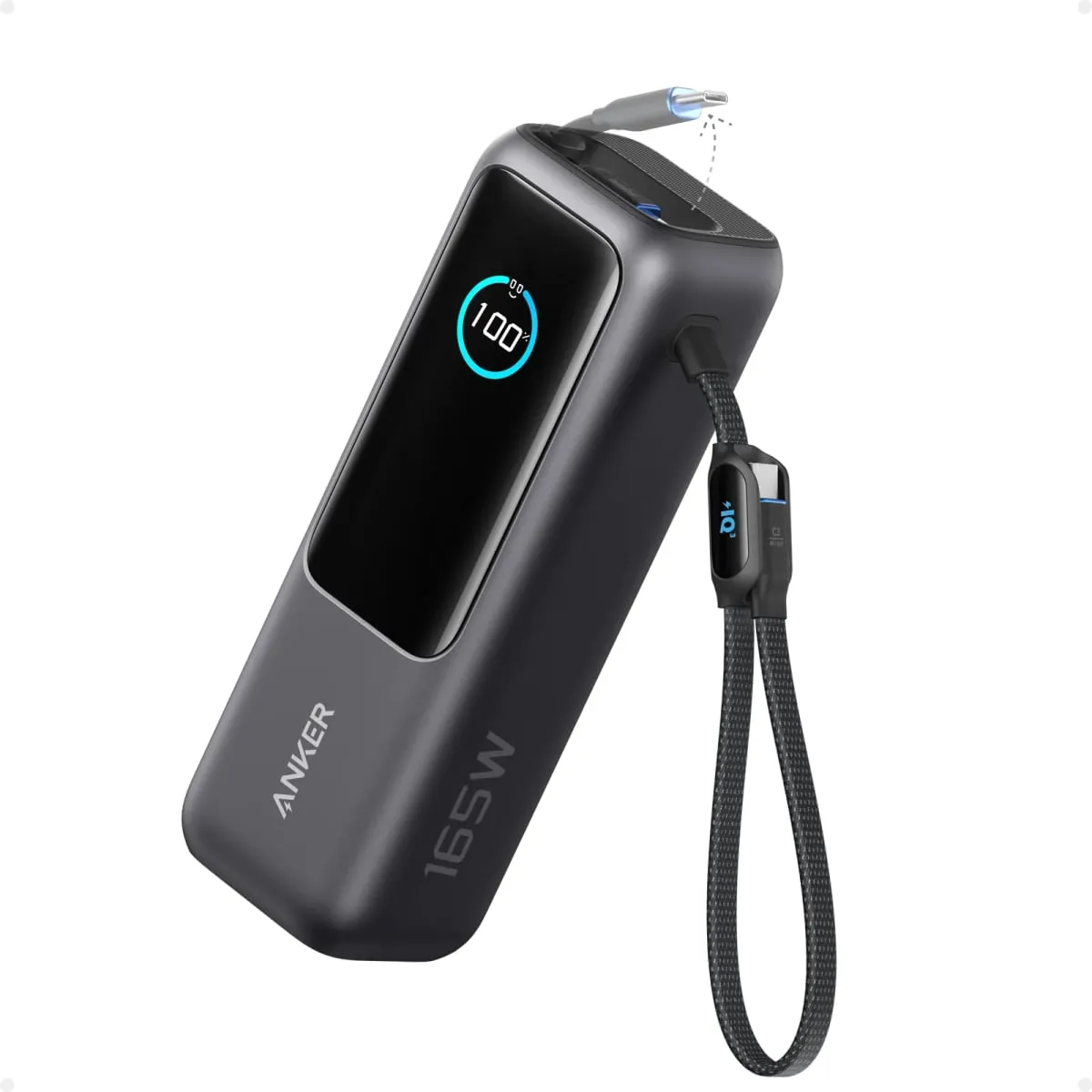
The best power bank for most MacBook Pro owners is the Anker Laptop Power Bank (25K, 165W). It sends 100W from one port, holds 90Wh (under the FAA's 100Wh carry-on limit), and usually costs around $100. Own a 16-inch? The UGREEN Nexode 25000mAh 200W adds 140W fast charging for similar money, but recharges slowly.
Best value overall Anker Laptop Power Bank (25K, 165W)
Our picks at a glance
- Best value overall Anker Laptop Power Bank (25K, 165W) 14-inch MacBook Pro owners, and 16-inch owners who can live without fast chargingCheck price
- Best budget 140W UGREEN Nexode Power Bank 25000mAh 200W 16-inch MacBook Pro owners who want 140W charging without flagship pricingCheck price
- Best upgrade Anker Prime Power Bank (26K, 300W) Work travelers who charge a 16-inch MacBook Pro and a second laptop at the same timeCheck price
- Best built-in cable EcoFlow RAPID Pro Power Bank (27,650mAh, 300W) 16-inch MacBook Pro owners who never want to think about cable ratingsCheck price
- Best for MacBook Air UGREEN Nexode Power Bank 20000mAh 130W MacBook Air owners, and 14-inch MacBook Pro owners who want a lighter bagCheck price
What is in this guide
- The best power bank for MacBook Pro: our five picks
- 1. Anker Laptop Power Bank (25K, 165W)
- 2. UGREEN Nexode Power Bank 25000mAh 200W
- 3. Anker Prime Power Bank (26K, 300W)
- 4. EcoFlow RAPID Pro Power Bank (27,650mAh, 300W)
- 5. UGREEN Nexode Power Bank 20000mAh 130W
- What to look for in a power bank for MacBook Pro
- How many watts does a MacBook Pro need?
- What mAh hides and watt-hours show
- Can you take a laptop power bank on a plane?
- USB-C PD 3.1 and the cable
- Recharge time, weight and safety
- How we chose these power banks
- Which one should you buy?
Two numbers decide the best power bank for MacBook Pro owners, and the Anker Laptop Power Bank (25K, 165W) gets both of them right for about $100. The first is watts, the rate at which power flows: it sends 100W from a single port, which clears the 96W Apple lists for fast-charging a 14-inch MacBook Pro. The second is watt-hours, the amount of energy stored: it holds 90Wh, comfortably under the 100Wh limit the FAA sets for spare batteries in a carry-on bag.
The catch is the 16-inch model. Apple’s biggest laptop only fast-charges at 140W, so the Anker fills it at a steady walk, not a sprint.
If that is your laptop, the UGREEN Nexode 25000mAh 200W delivers 140W for similar money, though it is slow to refill itself. And if you carry a MacBook Air, the roughly $60 UGREEN Nexode 20000mAh 130W is all the pack you need.
The best power bank for MacBook Pro: our five picks
1. Anker Laptop Power Bank (25K, 165W)
Anker Laptop Power Bank (25K, 165W)
Best for: 14-inch MacBook Pro owners, and 16-inch owners who can live without fast charging
- Capacity
- 25,000mAh (90Wh)
- Max from one port
- 100W
- Total output
- 165W across ports
- Recharge
- 100W input, about 2 hours
- Weight
- 1.3 pounds (21 oz)
Usually $90 to $110
What we like
- 100W from one port clears the 96W Apple lists for fast-charging any 14-inch MacBook Pro
- Two built-in USB-C cables, one retractable to about two feet
- 90Wh rating sits 10Wh under the FAA carry-on limit
What to know
- No 140W output, so a 16-inch MacBook Pro will not fast-charge
- The 165W on the box is a shared total, not what one laptop gets
A 100W power bank for a laptop sounds like a compromise next to the 250W and 300W monsters. For most MacBook Pro owners it is exactly enough. Apple’s MacBook Pro spec page says every 14-inch model, from the base M6 to the M5 Max, fast-charges from a 96W or higher source (fast charging is Apple’s term for up to 50 percent in around 30 minutes). One port on this Anker beats that, so on a 14-inch the pack is as quick as a wall charger.
Capacity is 25,000mAh (milliamp-hours, the figure printed on every power bank), which Anker rates at 90Wh. Anker says about 63 to 70Wh of that reaches your devices, or roughly 90 percent of a 14-inch MacBook Pro’s 72.4Wh battery. Engadget’s review saw a 16-inch MacBook Pro climb from 10 percent to 78 percent on one pack.
Two USB-C cables are built in (one retracts to about two feet, the other doubles as a carry loop), so the forgotten-cable problem is solved at the factory. A 100W charger refills the pack in about two hours.
And now the catch. The 165W on the box is a total shared across ports, and no single port goes past 100W, a point owners regularly raise in reviews. That rules out fast charging on a 16-inch. Skip it if you edit video on a 16-inch far from an outlet, and get the UGREEN below. The list price is $120, and it usually sells for $90 to $110.
2. UGREEN Nexode Power Bank 25000mAh 200W
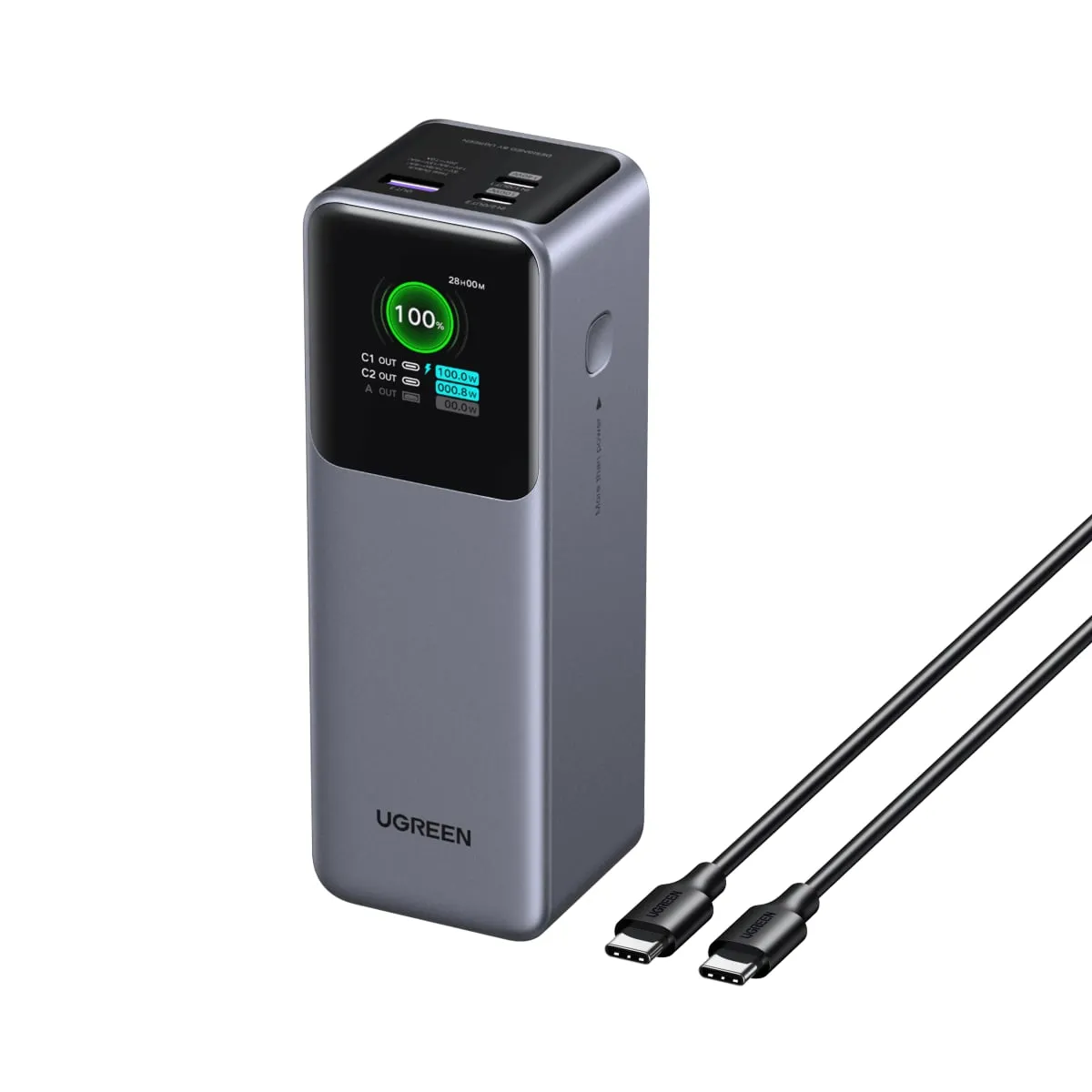
UGREEN Nexode Power Bank 25000mAh 200W
Best for: 16-inch MacBook Pro owners who want 140W charging without flagship pricing
- Capacity
- 25,000mAh (90Wh)
- Max from one port
- 140W (USB-C1)
- Total output
- 200W across ports
- Recharge
- 65W input, 3 hours or more
- Weight
- 1.3 pounds (609g)
Usually $80 to $100
What we like
- 140W from one port matches the charger Apple ships with the 16-inch MacBook Pro
- Second USB-C port still delivers 100W
- Often priced close to 100W packs
What to know
- Refills itself at only 65W, so a full recharge takes more than three hours
- Needs a 240W-rated USB-C cable to deliver its full 140W
The 16-inch MacBook Pro ships with a 140W charger, and Apple says it needs a 140W source to fast-charge. If you searched for a 140W power bank for a MacBook Pro 16, this is the least expensive one we’d trust.
Its first USB-C port delivers 140W using USB-C PD 3.1 (the newer version of the USB charging standard, which raised the old 100W ceiling). The second USB-C port manages 100W on its own. With both in use each supplies 100W, hence the 200W on the label. Capacity matches the Anker at 90Wh, so expect about two-thirds of a 16-inch battery per pack.
The weak spot is the input. The pack refills itself at only 65W, and Android Central’s review put a full recharge at well over three hours. Plug it in overnight and you will never notice. Try to top it up during a 50-minute layover and you will.
The second catch is the cable. A 140W charge needs a USB-C cable rated for 240W, and a lesser one quietly caps the pack at 100W or less. Check the rating printed on whichever cable you plan to use.
Skip it if you own a 14-inch MacBook Pro, because the Anker charges that laptop at full speed and brings its own cables. UGREEN lists it at $130, but it usually sells for $80 to $100, and we would not pay more than that.
3. Anker Prime Power Bank (26K, 300W)
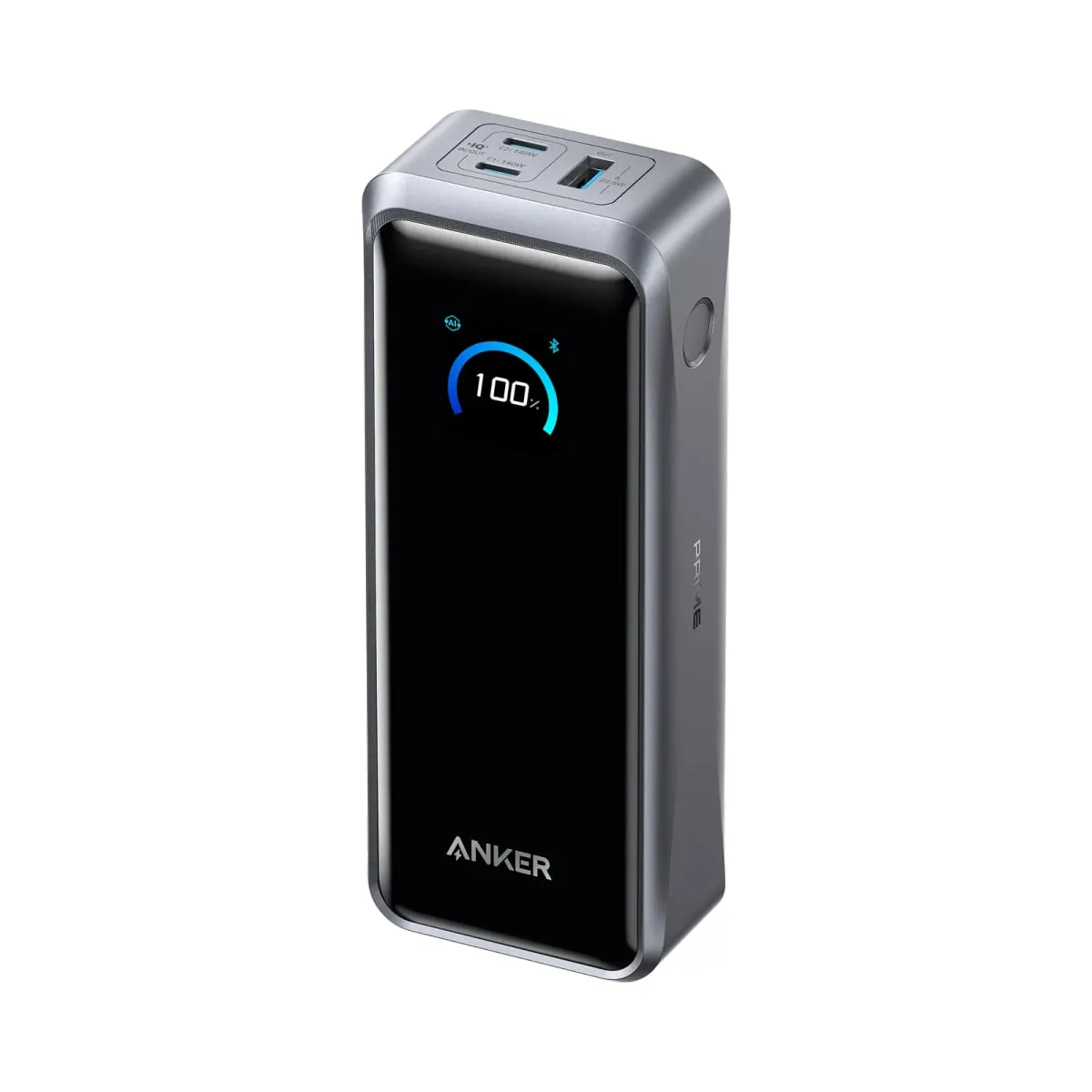
Anker Prime Power Bank (26K, 300W)
Best for: Work travelers who charge a 16-inch MacBook Pro and a second laptop at the same time
- Capacity
- 26,250mAh (99.75Wh)
- Max from one port
- 140W (both USB-C ports)
- Total output
- 300W across ports
- Recharge
- 140W input, 250W with two chargers
- Weight
- 1.32 pounds (600g)
Usually $160 to $180
What we like
- Two 140W USB-C ports work at the same time
- 99.75Wh is as large as a pack can be without airline approval
- 250W dual-port input reaches 50 percent in a claimed 13 minutes
What to know
- List price of $230 is about double our top pick
- Fastest recharge needs two 140W chargers and two 5-amp cables
This is the flagship, and it is priced like one. The Prime holds 26,250mAh, which Anker rates at 99.75Wh. That is a quarter of a watt-hour under the FAA’s limit (somebody at Anker clearly owns a calculator).
Both USB-C ports deliver 140W, and they do it at the same time. So it can fast-charge a 16-inch MacBook Pro and feed a second laptop from the other port, which makes the 300W total a number you can actually use.
Recharging is where the extra money shows. One port takes in 140W. With two 140W chargers and two 5-amp cables the pack takes in 250W, and Anker says that gets it to 50 percent in 13 minutes. The UGREEN above needs more than three hours for a full refill.
The catch is value. The list price is $230 and it typically sells for $160 to $180, close to double our top pick for about 10 more watt-hours and 40 more watts. The headline recharge speed also assumes you own two 140W chargers, and most 16-inch owners have exactly one (the one in the box).
Buy it if you travel for work with a 16-inch, a tablet and a phone, and airport gates are where your charging happens. Skip it if you charge one laptop at a time, because the two picks above do that for much less.
4. EcoFlow RAPID Pro Power Bank (27,650mAh, 300W)
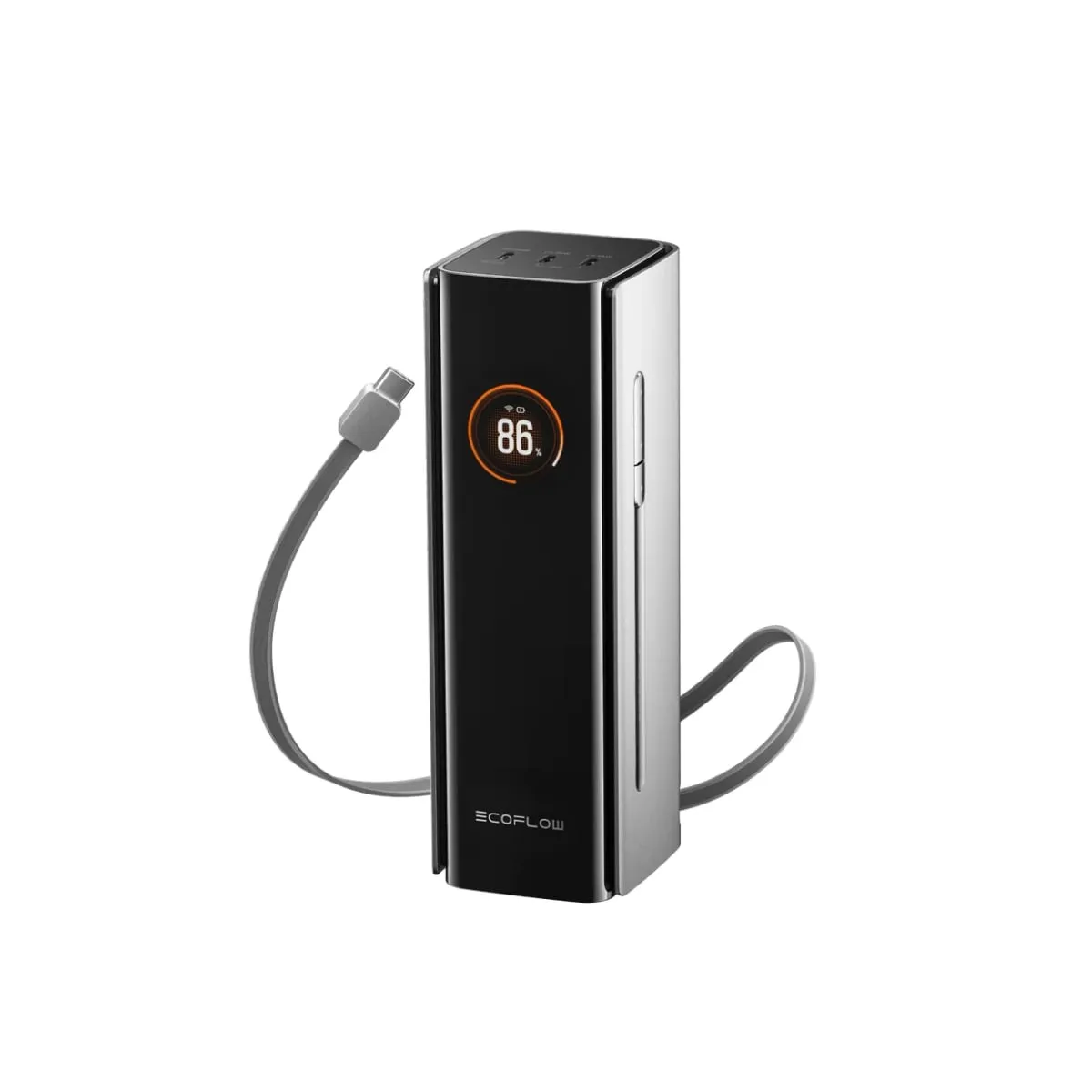
EcoFlow RAPID Pro Power Bank (27,650mAh, 300W)
Best for: 16-inch MacBook Pro owners who never want to think about cable ratings
- Capacity
- 27,650mAh (99.54Wh)
- Max from one port
- 140W (built-in cable or USB-C1)
- Total output
- 300W across ports
- Recharge
- Up to 320W input, about 40 min to 80 percent from a 140W charger
- Weight
- 1.54 pounds (699g)
List price about $200, often far less
What we like
- Retractable two-foot USB-C cable is rated for the full 140W
- 99.54Wh sits just under the FAA carry-on limit
- Reaches 80 percent in about 40 minutes from one 140W charger, per Macworld
What to know
- Heaviest pick at 1.54 pounds
- No USB-A port
- Poor value at its full list price
Every other 140W pack on this page has a hidden cost, which is the 240W-rated cable it needs. The RAPID Pro builds one in. Its retractable USB-C cable is about two feet long and rated for the full 140W, so a 16-inch MacBook Pro fast-charges with nothing else in the bag.
Capacity is 27,650mAh, or 99.54Wh, about as close to the airline limit as a pack gets. Macworld’s review recorded it refilling a 14-inch MacBook Pro nearly 1.2 times. On top sit one more 140W USB-C port and two 65W ports, with 300W to share among everything.
It refills quickly, too. Macworld’s review puts it at about 40 minutes to 80 percent from a single 140W charger, and EcoFlow says its own 320W charging station cuts that to about 20 minutes.
The catch is heft. At 1.54 pounds it is the heaviest pack here by about three ounces, and it has no USB-A port for older cables. The pricing is also odd. The list price sits around $200 to $220, and EcoFlow’s own store has shown it discounted to about $176. Stock has also been patchy, with the store listing it as sold out for pre-order, so availability may decide this one for you.
So skip it at full price, where the Anker Prime is lighter and slimmer. At a deep discount it is the best deal on this page, so check the current price at Amazon before you decide.
5. UGREEN Nexode Power Bank 20000mAh 130W
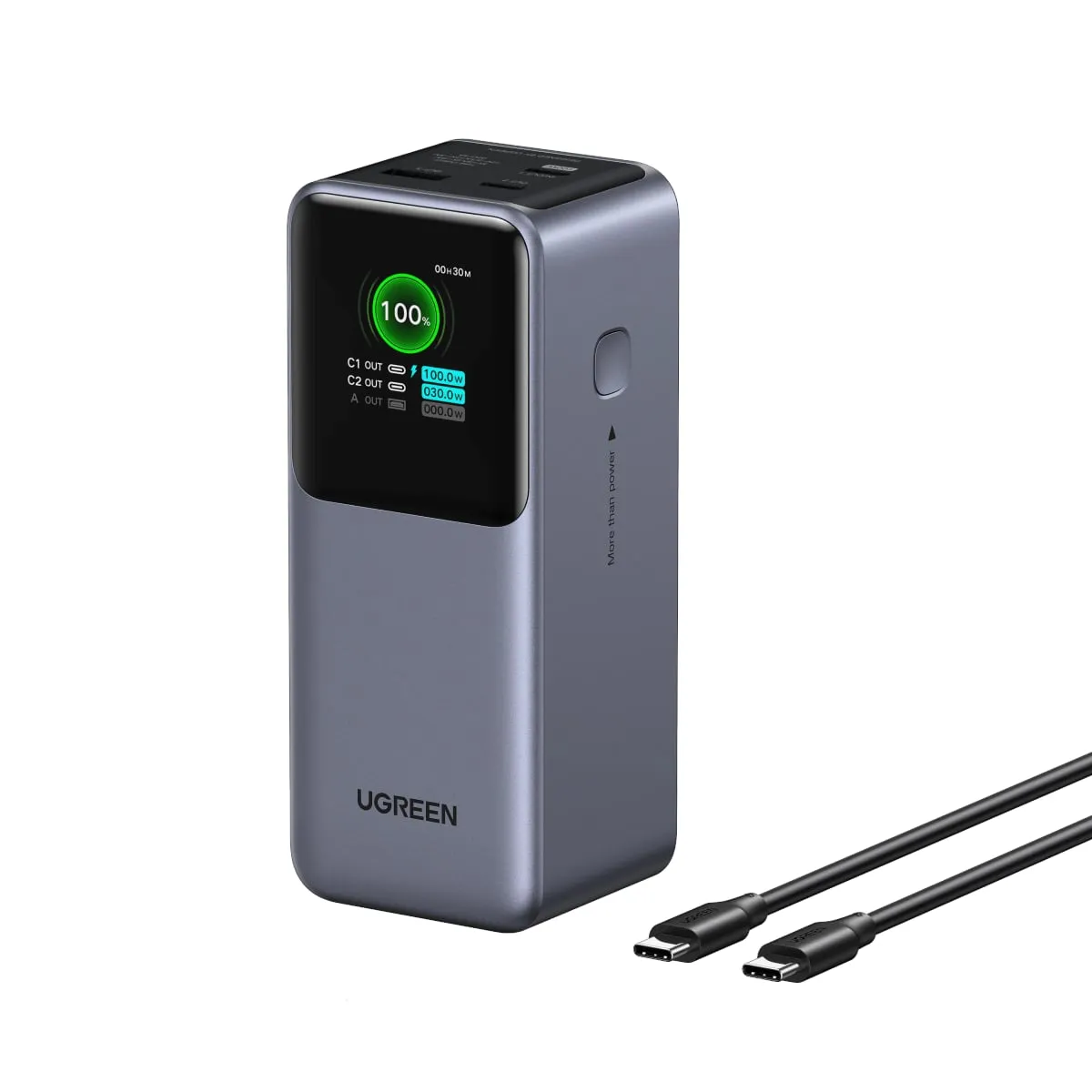
UGREEN Nexode Power Bank 20000mAh 130W
Best for: MacBook Air owners, and 14-inch MacBook Pro owners who want a lighter bag
- Capacity
- 20,000mAh (72Wh)
- Max from one port
- 100W (USB-C1)
- Total output
- 130W across ports
- Recharge
- 65W input
- Weight
- 1.06 pounds (480g)
Usually around $60
What we like
- 100W from one port is more than a MacBook Air's 70W fast-charge threshold
- About a quarter of a pound lighter than the 25,000mAh packs
- Usually sells for around $60
What to know
- 72Wh covers only about half of a 16-inch MacBook Pro battery
- Refills itself at just 65W
A power bank for a MacBook Air has a much easier job. Apple’s specs put the current 13-inch Air’s battery at 53.8Wh and the 15-inch at 66.5Wh, and both fast-charge from any source of 70W or more. A 300W brick is wasted on them.
This smaller Nexode sends 100W from its main USB-C port and 30W from the second, enough for an Air and a phone at once. It holds 72Wh. After conversion losses that is roughly 50 to 57Wh delivered, about one full charge for a 13-inch Air or around 80 percent of a 15-inch.
It also weighs about 1.06 pounds, a quarter of a pound less than the 25,000mAh packs, and you will feel the difference by the end of a travel day.
It is not only for the Air. The 100W port fast-charges a 14-inch MacBook Pro and gives it roughly three-quarters of a battery. The catch is the 16-inch, where 72Wh buys only about half a charge, and not at fast-charge speed. Like its bigger sibling, it also refills itself at just 65W.
Skip it if you own a 16-inch or want a full extra day from a 14-inch, and get the Anker at the top of this page. It usually sells for about $60, which makes it the cheapest pack we’d pair with a Mac.
What to look for in a power bank for MacBook Pro
How many watts does a MacBook Pro need?
Apple ships the 14-inch MacBook Pro with a 70W or 96W charger depending on the configuration (the base M6 gets 70W), the 16-inch with a 140W charger, and the MacBook Air with a small adapter that peaks at 60W. A power bank with a lower output still charges the laptop, only more slowly. During heavy work (a long video export, say) the Mac can use power faster than a weak pack supplies it, so the battery percentage keeps falling while plugged in.
Read the single-port figure, not the total on the box. The total is shared across every port, and a “165W” pack may give one laptop only 100W. For a 14-inch, look for 100W from one port. For a 16-inch, 140W. For an Air, 70W.
What mAh hides and watt-hours show
Capacity is advertised in milliamp-hours (mAh), a count of charge at the battery cell’s own voltage of about 3.6 volts. Your laptop charges at 20 volts or more, so an mAh figure cannot be compared with its battery directly. Watt-hours (Wh) measure energy and stay the same at any voltage. Multiply mAh by 3.6 and divide by 1,000, and a 25,000mAh pack comes out at 90Wh.
Then subtract the toll. Raising the voltage inside the pack and lowering it again inside the laptop wastes energy as heat, and both the makers’ own estimates and published reviews land at roughly 70 to 80 percent delivered. A 90Wh pack puts 63 to 70Wh into a Mac. The 16-inch MacBook Pro’s battery is 99.6Wh, so no pack that is allowed on a plane refills it from empty to full.
Can you take a laptop power bank on a plane?
Yes, in your carry-on, and only there. The FAA’s PackSafe guidance limits spare lithium-ion batteries, power banks included, to 100Wh each with no approval needed. With your airline’s approval you may also carry up to two larger spares of 101 to 160Wh each. Power banks may never go in checked luggage, and if your carry-on is checked at the gate, the pack comes out and stays with you.
That is why an airline approved power bank for a MacBook Pro tops out near 27,000mAh. The FAA adds that airlines may set stricter limits of their own, so check your carrier’s rules before you fly.
USB-C PD 3.1 and the cable
USB Power Delivery (PD) is the standard that lets a USB-C port agree on a charging speed with your laptop. It used to stop at 100W. Version 3.1 added a higher voltage step that allows 140W, which is what the 16-inch needs.
The cable has to keep up. A basic USB-C cable carries 60W, a 5-amp cable carries 100W, and only a cable rated for 240W carries 140W. For the 16-inch, Apple’s fast-charging guide names its 240W USB-C Charge Cable or a MagSafe 3 cable.
Recharge time, weight and safety
Input wattage decides how long the pack itself sits on a charger. At 65W, a 90Wh pack needs three hours or more. The EcoFlow reaches 80 percent in about 40 minutes from one 140W charger, and the Anker Prime claims 50 percent in 13 minutes with two chargers. Every pick weighs between 1 and 1.6 pounds.
What you can ignore: wireless charging pads, totals above 200W unless you charge two laptops at once, and any capacity claim above 27,000mAh.
On safety, look for a recognized certification mark such as UL on the product or its listing, and buy from a brand with a US storefront and a warranty. Our report on this month’s CPSC power bank warning and recall shows how it goes when the seller stops answering.
| Power bank | Capacity | Max from one port | Recharge input | Weight | Typical price |
|---|---|---|---|---|---|
| Anker Laptop Power Bank (25K, 165W) | 90Wh | 100W | 100W | 1.3 lb | $90 to $110 |
| UGREEN Nexode 25000mAh 200W | 90Wh | 140W | 65W | 1.3 lb | $80 to $100 |
| Anker Prime (26K, 300W) | 99.75Wh | 140W | 140W, or 250W with two chargers | 1.3 lb | $160 to $180 |
| EcoFlow RAPID Pro | 99.54Wh | 140W | Up to 320W | 1.5 lb | About $200 list, often far less |
| UGREEN Nexode 20000mAh 130W | 72Wh | 100W | 65W | 1.1 lb | About $60 |
How we chose these power banks
We started with Apple’s own numbers, not the ones on the packaging. That set the floor: at least 100W from a single port for the MacBook Pro picks, 70W for the Air pick, and a watt-hour rating under the FAA’s 100Wh line. Anything that failed one of those was out, however large the number on the box.
From there we read manufacturer spec sheets for single-port output, input wattage and weight, compared them with independent measurements where they exist, and weighed patterns in owner reviews and price history. Our full method is on the how we pick page.
Packs that top out under 100W from one port were out for the MacBook Pro picks, and so were packs rated above 100Wh, which need airline approval to fly.
Which one should you buy?
If you own a 14-inch MacBook Pro, buy the Anker Laptop Power Bank and stop reading. It fast-charges your laptop, nearly refills it once, brings its own cables and costs about $100.
If you own a 16-inch, decide how much you care about speed. The Anker still charges it and still charges it, just not at fast-charge speed. For true 140W fast charging, get the UGREEN Nexode 200W and a 240W cable, or the EcoFlow RAPID Pro whenever it is on sale. The Anker Prime only earns its price if you charge two laptops at once or need the pack itself refilled in minutes.
If you own a MacBook Air, the small UGREEN is plenty, and your shoulder will thank you.
And if the laptop stays home and you mostly need power for a gaming handheld, the smaller packs in our Steam Deck power bank guide are lighter and cheaper.
Whatever you choose, remember that a 140W power bank charges at the speed of the worst cable in your bag.
More buying guides
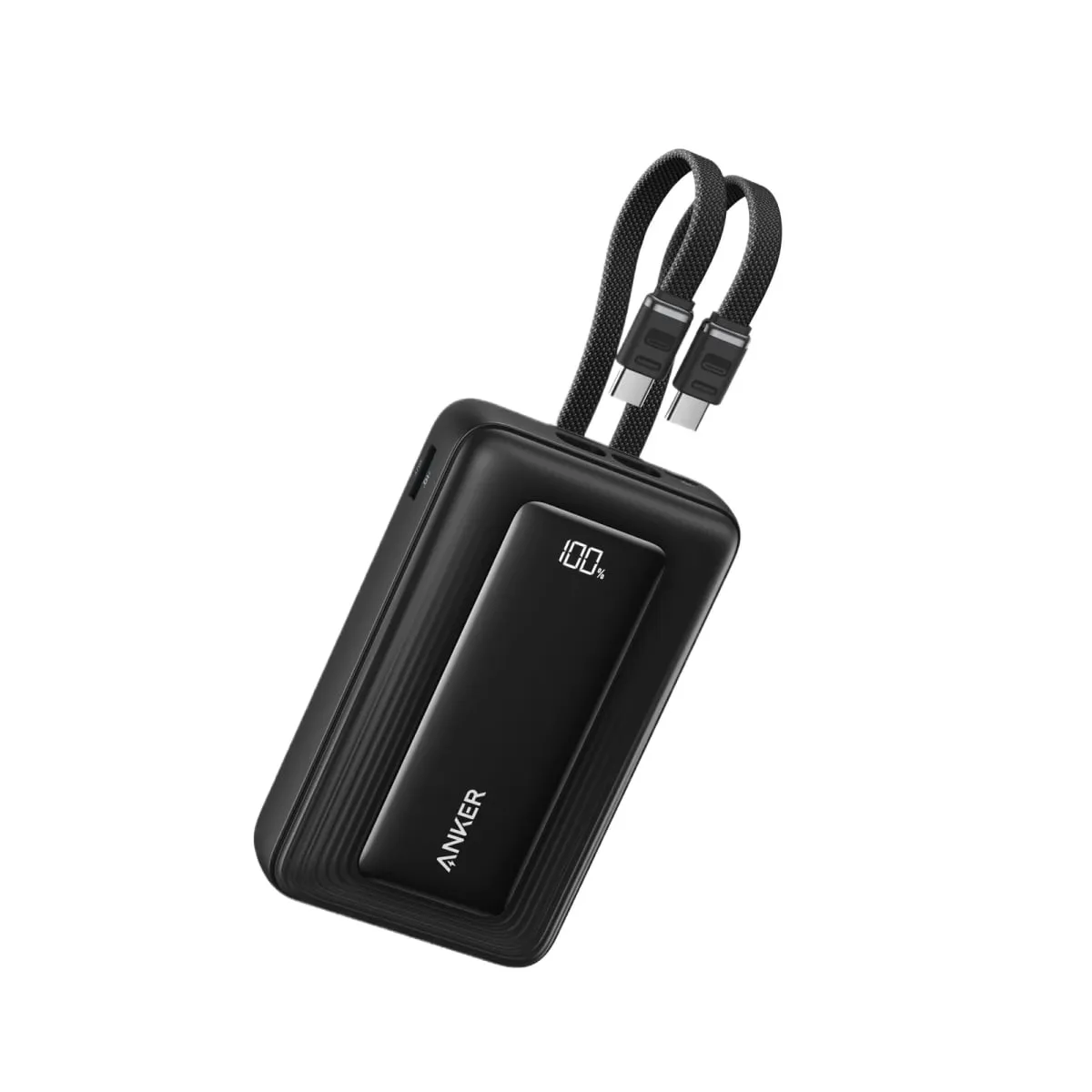
Best power bank for Steam Deck in 2026: five packs that deliver the 45 watts Valve asks for, and one number on the box you can ignore
Wattage is the whole story. A pack that cannot push 45W from one USB-C port will lose ground to a demanding game, however big the number on the box.

Best TV for GTA 6 in 2026: six sets that do a Leonida sunset justice, and why none of them needs to be 165Hz
A sun-bleached open world that reportedly runs at 30 frames per second rewards brightness and contrast, not a three-digit refresh rate. Shop accordingly.